
Everyone in the station sees at a glance what is going on
A bright screen in the appliance bay or crew room shows the keyword, location and crew responses during an alarm, and between calls the crew on standby, vehicle status and the training plan. Plus weather, water levels and official warnings for your district.
When the pager goes off every second counts, and in between it's all volunteer work
When the pager goes off, members run from their cars into the station. Whoever is pulling on their gear wants to know within two seconds what the call is: keyword, location, how many are coming. By then the phone is already in a pocket, and the printout sits by the fax at the far end of the room.
Between calls a volunteer fire brigade runs on goodwill. Training nights, equipment checks, the youth group on Friday, the open day. Much of it is pinned to the noticeboard, and some of it you only hear about once it has happened. Then there is the weather: before heavy rain or a storm, the crew wants to know early what the district expects.
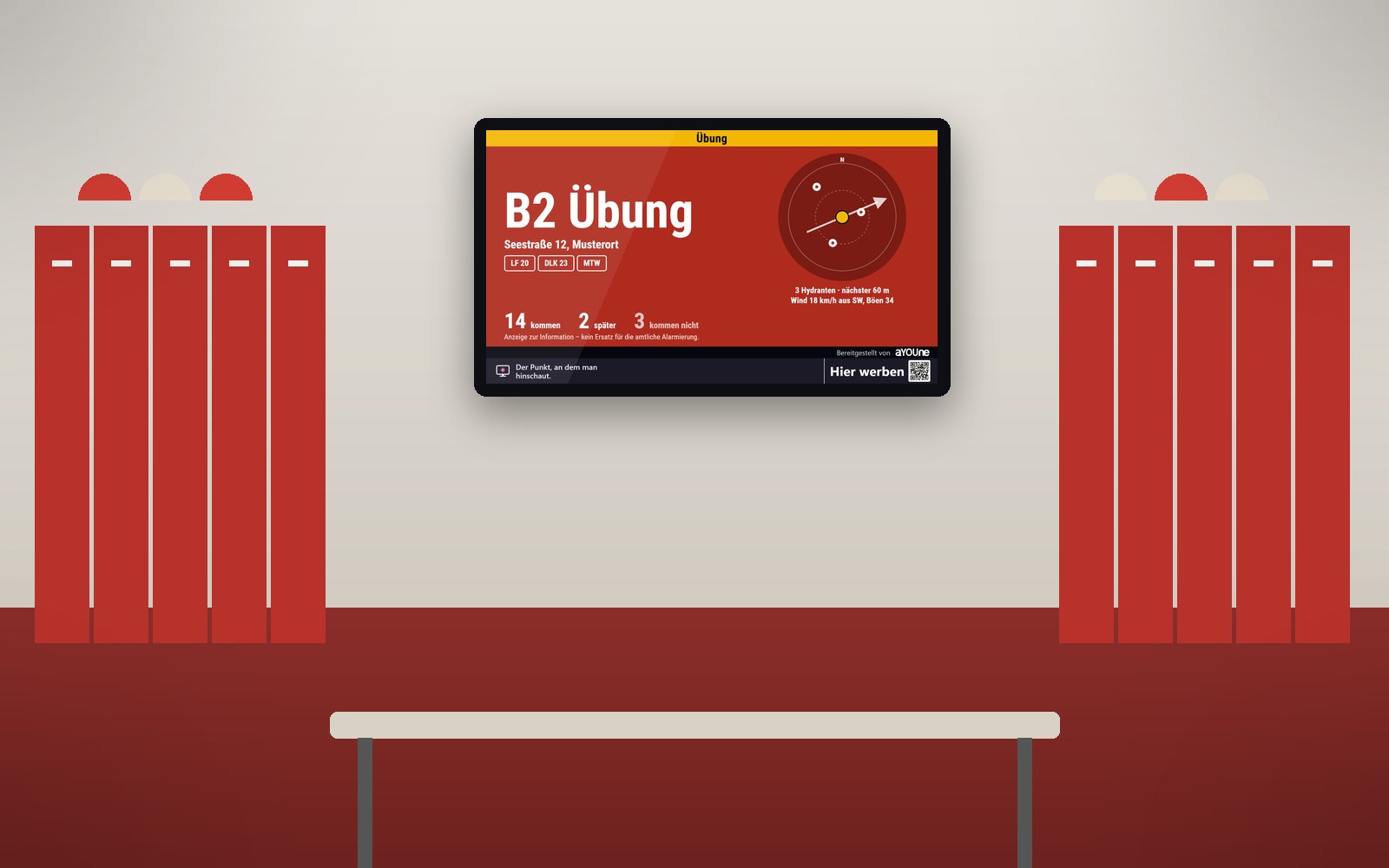
schaupunkt puts both on one screen in your station. During an alarm the alarm page takes over: the keyword large on signal red, the minutes since the call, crew responses as counts, and a simple site plan with hydrants and wind direction. Afterwards the calm station page returns, with crew on standby, vehicles by radio status and the next dates. Weather, water levels and German Weather Service warnings run alongside on their own. The display adds to your official alerting and repeats what the pager has already said, clearly readable on the wall for everyone.
What it looks like at your place

Alarm: the keyword is on the wall
The first members arrive in the bay and change at their lockers. Above them, the screen shows the keyword large on red and the number of crew responses.

Training night in the crew room
Before breathing-apparatus training the crew gathers in the common room. The screen shows the training plan, the vehicles ready for service and the evening's weather.

Open day at the station door
In the late afternoon families gather at the open doors. In the entrance the screen invites young people to join the youth fire brigade, and children play along on a phone.
Live demo
This is how this sector’s screen is running right now. Pages change on their own.
Live: real data, not a recording.
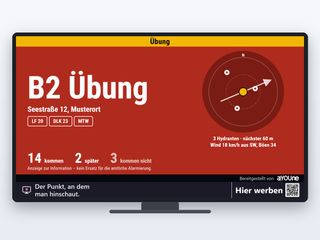
Alarm displayDuring an alarm this page takes over the screen: keyword large on signal red, location, minutes since the call, crew responses as counts and a simple site plan with hydrants and wind. Drill alarms are marked as drills. The display adds to the official alerting.

Watch it on your own TV
Scan with your phone, or type the address into the browser of your TV.
schaupunkt.de/screen/schaupunkt-demo-feuerwehrThe pages running in your window
Real captures from this sector’s live demo.

Alarm display
During an alarm this page takes over the screen: keyword large on signal red, location, minutes since the call, crew responses as counts and a simple site plan with hydrants and wind. Drill alarms are marked as drills. The display adds to the official alerting.
Station page between calls
The calm page for every day: how many members are available, or the number of calls this year, the vehicles with their radio status and the next dates. One message: this station is ready.
Training and duty plan
Today's plan with time and place: breathing-apparatus drill in the yard, knot training for the youth group in the classroom, ladder inspection in the bay.
Official severe-weather warnings
When the German Weather Service warns for your district, the warning appears large in the rotation with level, validity and time. In summer it also shows forest fire danger.
Water levels nearby
Readings from the nearest gauges on federal waterways in centimetres, with trend and time. When flooding threatens, the crew sees at a glance which way the river is heading.
Recruiting members
Up to three cards with QR codes: join the fire brigade from age 16 with training included, youth fire brigade for ages 12 to 17, smoke alarm advice on the open day.
A day on the station screen
- 8:00 am: The equipment officer inspects the ladders. The screen shows the station page with every vehicle at the station and today's dates.
- 11:40 am: The German Weather Service warns of heavy rain in the district. The warning appears large in the rotation, with the river gauge alongside.
- 2:05 pm: Alarm. The alarm page takes over: keyword, location, responses as counts, hydrants on the site plan. Everyone entering the bay knows at once.
- 4:00 pm: The vehicles are back, and the calm page returns. The youth group arrives for knot training and finds its session on the wall.
- 6:00 pm: Breathing-apparatus drill in the yard. In the entrance the brigade recruits new members with a QR code for everyone passing the door.
Patrons and local businesses help fund the screen
A fire brigade has plenty of friends in town: the support association, the local bank, the car dealer, the tradespeople, the pub where the crew sits after training. Whoever supports the brigade becomes visible on screen in rotation, on the open day, at training nights and for everyone who visits the station. It is recognition people actually see, and income for the crew fund.
You approve every visual yourself and decide whether ads run and which ones. Whether third-party advertising suits your station is something you agree with your municipality. When ads from local businesses run, you share in the revenue, and depending on the site the screen pays for itself in part or in full. Details under Earn with your window. Businesses that want to support your brigade visibly can go to Book advertising.
Transparent for sponsors and the municipality
Every display is logged with time and screen, more than 80,000 since 12 September 2026. Your support association sees in black and white when a sponsor was shown, and the billing stays transparent for everyone.
If the screen faces the street, a small sensor inside next to it can count how many people and vehicles pass by, per hour and direction, for an extra €15 a month. It recognises nobody and stores no images; only numbers reach the platform. That becomes media data for your site. More under Sensors.
Frequently asked questions
It adds to it. Siren, pager and dispatch centre alert you as usual, and the screen repeats the essentials in large type in the station. Every alarm page carries that note.
From the alerting system your brigade already uses, over a secured connection. In our first conversation we look at which system you use and how the data reaches the screen.
The screen shows keyword, location, counts and vehicles. Responses appear as numbers: coming, later, not coming. Names of crew, callers or people involved do not belong on a display visitors might see, and are never taken over in the first place.
The calm station page with crew availability and vehicle status, the training plan, weather, water levels, official warnings, regional news and your own visuals, for example for recruiting.
As soon as the alerting system reports the alarm, the alarm page takes over. When the alarm ends, the screen returns to the station page by itself.
Wherever everyone looks while changing, usually in the bay above the lockers or in the crew room. A screen never hangs over rescue, safety or escape route signs. We agree the spot with you.
Whether third-party ads are allowed is set by the state and municipality. You decide whether ads run and which ones, and approve every visual. Many brigades mainly show their support association and local backers.
The screen programme for an existing screen starts at €12 a month, complete with player from €47 a month. Anonymous footfall counting is an extra €15 a month. All prices exclude VAT.
A screen, power and internet; Wi-Fi is enough. The player updates over the network and restarts itself if anything hangs. We can deliver the screen as well if you like.
Yes. Your own visual invites people weeks ahead, on the day the programme and recruiting run, and children play one of five phone games on the big screen.
Related
- Content from the neighbourhoodWeather, official warnings and regional news, always current.
- Operation and appPair by QR code, steer from your phone, automatic updates.
- Legal notesWhat we look out for when installing, including in fire stations.
- Municipalities and tourismMunicipal warnings and dates in every window.
- Lakes and mountainsWater levels, lake temperatures and weather at harbour and valley station.
- Earn with your windowShow your supporters and share in the revenue.
Should your fire station get a screen?
Tell us about your station and how you are alerted. A photo of the wall and screen is enough for a first quote.
Register a location