Your break room knows what's happening
A screen in the break room, at the gate or in the factory shop shows shifts and dates, canteen and goods-in hours, job openings and official warnings, plus fuel prices for the drive home. You manage it from your phone.
Key notices everyone actually sees
In a manufacturing business, an all-staff email never reaches everyone. Many colleagues on the shop floor have no desk computer, shifts change, and the notice next to the time clock is covered over within a week. Yet there is always something to share: the safety briefing at noon, a visiting vocational school group, new canteen hours, Friday's factory sale.
The place where everyone meets is the break room. Early and late shifts overlap there for a few minutes, people wait for lunch and glance at their phones. A screen in that spot gets seen, shift after shift, without anyone having to open an app.
A schaupunkt screen shows today's dates with time and place, the opening hours of the canteen, factory shop and goods-in, your job openings and apprenticeships with a QR code to apply, and in between the weather, official warnings and fuel prices for the drive home. HR or the shift lead manages it in the app. It shows notices for everyone, never individual performance figures, so the screen fits your company culture and data protection rules. How operation works
What it looks like at your place

Shift change in the break room
The early shift takes a break as the late shift comes in. The screen shows today's safety briefing next to the canteen hours.

HR updates it by phone
A new apprenticeship opening is posted. A colleague from HR adds it in the app, and seconds later it runs with a QR code to apply.

Clocking off at the gate
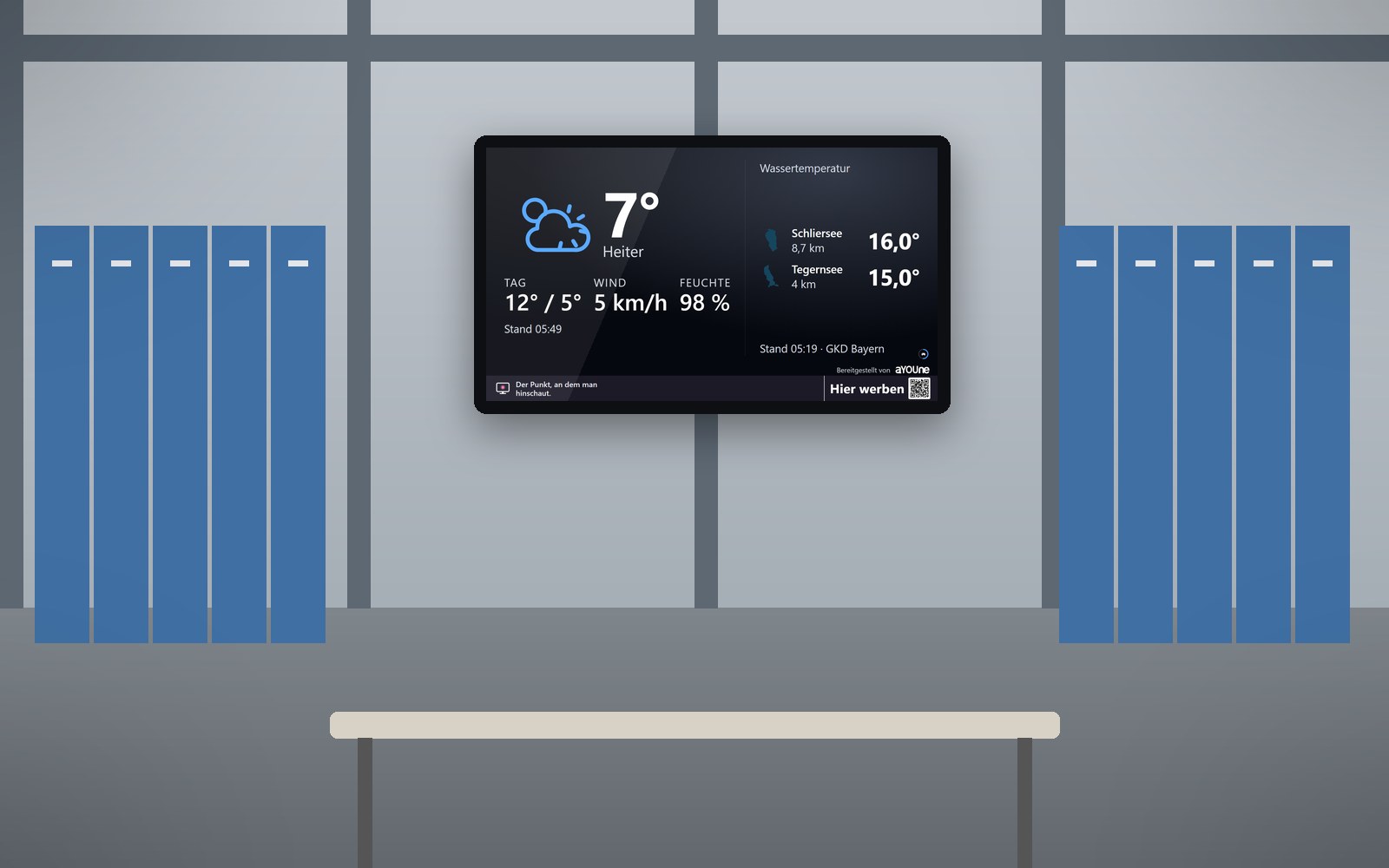
Dusk falls as the late shift heads home. The bright screen at the gate shows the cheapest fuel nearby and an official warning about icy roads.
Live demo
This is how this sector’s screen is running right now. Pages change on their own.
Live: real data, not a recording.
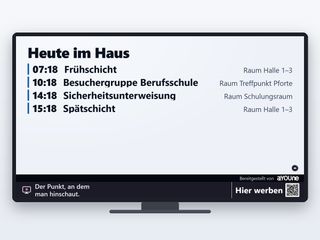
Today's shifts and datesEarly and late shift, safety briefing, visitor group: with time and place, visible to everyone on the floor. 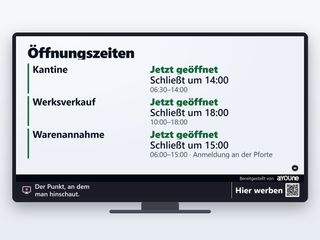
Canteen, factory shop, goods-inToday's opening hours, with notes such as checking in at the gate. That saves trips and phone calls. 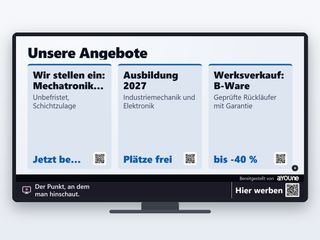
Jobs, apprenticeships, factory saleOpen positions and apprenticeships with a QR code to apply, plus factory shop deals. Colleagues are happy to pass them on. 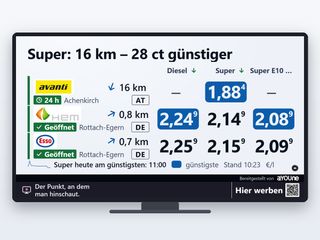
Fuel prices for the drive homeNearby filling stations with current prices and opening hours, the cheapest per fuel type highlighted. A service commuters appreciate right away.

Watch it on your own TV
Scan with your phone, or type the address into the browser of your TV.
schaupunkt.de/screen/schaupunkt-demo-industrieThe pages running in your window
Real captures from this sector’s live demo.

Today's shifts and dates
Early and late shift, safety briefing, visitor group: with time and place, visible to everyone on the floor.

Canteen, factory shop, goods-in
Today's opening hours, with notes such as checking in at the gate. That saves trips and phone calls.

Jobs, apprenticeships, factory sale
Open positions and apprenticeships with a QR code to apply, plus factory shop deals. Colleagues are happy to pass them on.

Fuel prices for the drive home
Nearby filling stations with current prices and opening hours, the cheapest per fuel type highlighted. A service commuters appreciate right away.
Official warnings
Severe weather warnings from the German Weather Service for your district, with timestamp. Important for outdoor work and the trip home after a shift.
Play along at break time
Five games via QR code, no app. A quick round against each other brings colleagues from different departments together.
A day on the break-room screen
- 6 am: The early shift starts. The screen shows today's dates and the weather for outdoor work.
- 9 am: Breakfast break: the vocational school group is announced, with the 2027 apprenticeship offer running in between.
- 12 noon: Safety briefing in the training room. The canteen is open, and both are shown with times in the break room.
- 2 pm: Shift change. Two colleagues play a quick round on their phones, then the company notices return.
- 9 pm: The late shift clocks off. The gate screen shows an official ice warning and the cheapest fuel nearby.
Your channel, your rules
In the break room, the screen is first and foremost your own channel to your staff. You decide whether ads run and which ones. Many businesses show only their own content and the regional pages there, and third-party ads can be switched off entirely for that.
If you like, you can open the screen to selected local partners who suit your workforce: the gym with a company discount, the garage round the corner, the bakery by the factory gate. A screen in the factory shop window, which passers-by see too, is especially worthwhile. You approve every design yourself, exclude competitors and share in the revenue. More under Earn with your screen, and for advertisers under Book advertising.
Every impression on record
Every impression is logged with time and screen, so you can see exactly how often the safety campaign ran during the late shift. More than 80,000 impressions have been logged this way since 12 September 2026.
On a screen in the factory shop window, a small sensor can count anonymously how many people, cars and lorries pass by, per hour and direction. It recognises nobody and stores no images. The result is media data for advertisers and a clear picture of when the area in front of the plant is busiest. You agree its use with your works council as usual. The add-on costs an extra €15 a month. Details under Sensors.
Frequently asked questions
The screen shows notices for everyone: dates, opening hours, jobs and warnings. Names and personal performance figures do not belong on a screen others can see, which fits both data protection and co-determination.
You decide whether ads run and which ones. Third-party ads can be switched off entirely for your location, and the screen then shows only your own content and the regional pages.
The screen programme for your existing screen starts at €12 a month, the complete package with device at €47 a month. Visitor counting is an extra €15 a month. All prices net.
Yes. Each screen gets its own pages, for example shifts in the break room, check-in at the gate and offers in the factory shop. You control everything from the same app.
schaupunkt runs on the same platform as inventory, customer management and accounting. Products, dates and offers you maintain there go straight onto the screen without entering them twice.
The player is a small device behind the screen. Updates arrive over the network, and if anything hangs it restarts by itself. Your maintenance team has nothing to look after.
A screen, power and internet; Wi-Fi is enough. The player drives screens of any size, including large formats for the canteen and break room.
Somewhere clearly visible where everyone passes. Rescue, safety and escape route signs always stay clear, and we make sure of that during setup together with you and your safety officer.
All content is designed to work without sound, so it works in noisy surroundings too.
Every job offer carries a QR code. The phone camera opens the application page directly, with no app needed.
Related
- Operation and appPair by QR code, manage by phone, updates by themselves.
- Neighbourhood contentWeather, warnings and fuel prices from the region, always up to date.
- SensorsCount anonymously who passes your factory shop.
- Product demosShow products in the factory shop step by step, steered by phone.
- Garages and filling stationsFuel prices, workshop offers and waiting areas.
- Residential and officeNotices in the lobbies of office and residential buildings.
Does a screen fit your business?
Send us a photo of your break room or gatehouse. That is enough for a first quote, and we will tell you what works for you.
Register a location