
Your school hall shows what's on today
A screen in the foyer, school hall or entrance shows today's dates, opening hours for the office, library and canteen, new courses and official warnings. You manage it by phone and decide exactly what runs.
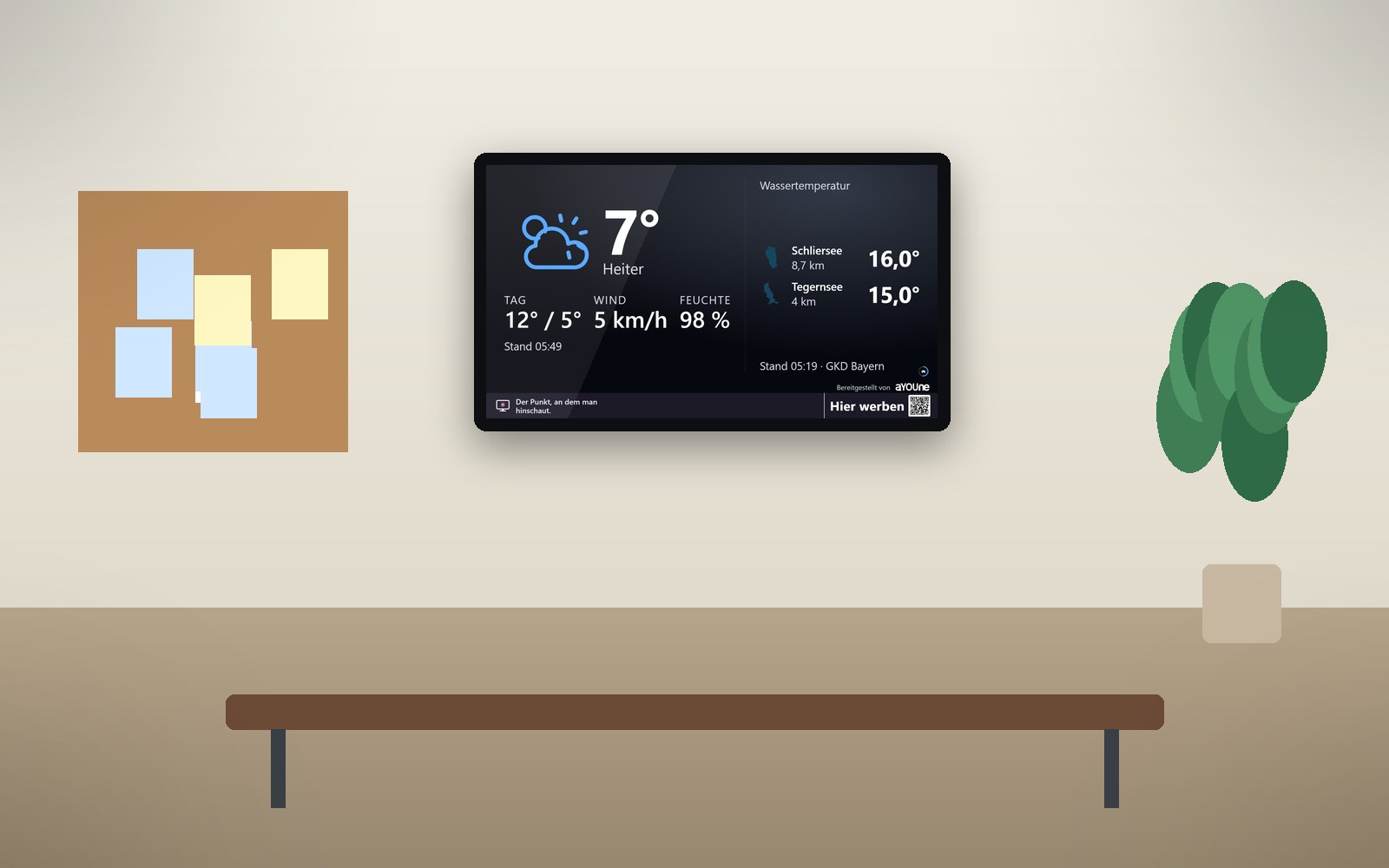
So much information, one noticeboard
At a school, an adult education centre or a music school, something changes every day. Parents' evening starts at eight, the project week presents in the hall, the evening course moves rooms and the library stays open later today. Meanwhile the noticeboard carries months of paper notes layered on top of each other, and the office answers the same question again and again.
Yet everyone comes through the same door: pupils in the morning, parents for meetings, course participants in the evening, visitors on open day. Whatever is clearly visible there gets read, whether it is a room change or the official storm warning before the journey home.
A schaupunkt screen in the foyer or hall shows today's dates with time and room, the opening hours of the office, library and canteen, new courses with a QR code for signing up, and in between the weather, official warnings and regional news. A teacher or the office manages it in the app, and much of it runs by itself. Whether ads run, and which ones, is up to you and your governing body. For schools, third-party ads can be switched off entirely, turning the screen into a pure information board for your institution. Legal notes
What it looks like at your place

Morning in the foyer
Pupils walk in and see straight away that today's project-week presentations are in the hall. The office stays calm.

The office updates it by phone
The evening course moves to another room. The office assistant enters it in the app, and the screen at the entrance shows it at once.

Information evening at dusk
Parents and teenagers arrive for the training and study information evening. The bright screen at the entrance points the way to the canteen and invites them to the new courses via QR code.
Live demo
This is how this sector’s screen is running right now. Pages change on their own.
Live: real data, not a recording.
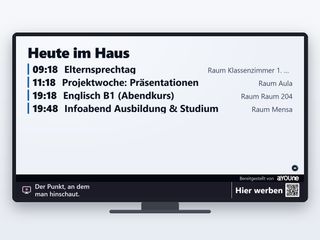
Today's scheduleParents' day, presentations, evening courses or information evenings, each with time and room. Newcomers find their way at once. 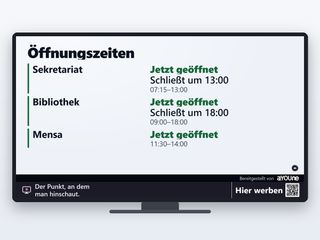
Office, library, canteenToday's opening hours and what is open right now. That saves many trips and questions. 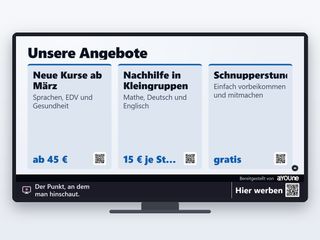
Courses and offersNew courses, small-group tutoring or a taster lesson, with a QR code to sign up on the phone. 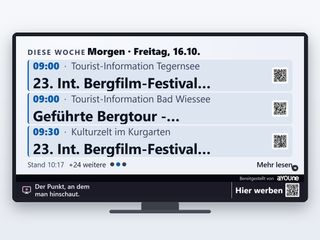
What's on this weekRegional events over the coming days, plus your own such as the school concert, summer fair or open day.

Watch it on your own TV
Scan with your phone, or type the address into the browser of your TV.
schaupunkt.de/screen/schaupunkt-demo-bildungThe pages running in your window
Real captures from this sector’s live demo.

Today's schedule
Parents' day, presentations, evening courses or information evenings, each with time and room. Newcomers find their way at once.

Office, library, canteen
Today's opening hours and what is open right now. That saves many trips and questions.

Courses and offers
New courses, small-group tutoring or a taster lesson, with a QR code to sign up on the phone.

What's on this week
Regional events over the coming days, plus your own such as the school concert, summer fair or open day.
Official warnings
Severe weather warnings from the German Weather Service for your district, with timestamp. Useful before trips, sports day and the journey home.
Play along on your phone
Five games via QR code, no app and no sign-up. An eye-catcher on open day and at the school fair.
A day on the foyer screen
- 7:30 am: The school day starts. Today's schedule is in the foyer, next to the weather.
- 10 am: The project-week presentations begin in the hall. The screen shows time and room for parents who join.
- 12:30 pm: Lunch break: the canteen is open, the library stays open until 6 pm. Both are shown live in the foyer.
- 3 pm: An official thunderstorm warning appears with its timestamp. The head sees it at the same moment as everyone leaving the building.
- 6 pm: Evening courses and the information evening. New courses run with a QR code, and the first sign-ups come straight from phones.
Advertising that fits your institution
Whether third-party advertising is permitted at your institution depends on the law in your state and on your governing body. You decide whether ads run and which ones. For schools, one switch turns third-party ads off entirely, and the screen shows only your own content and the regional pages.
Adult education centres, music schools, language schools and other education providers often use the screen as an ad space for suitable local businesses too, such as the bookshop, the café across the road or the music shop. You approve every design yourself and share in the revenue. Depending on the location, the screen can pay for itself in full or in part. More under Earn with your screen, and for advertisers under Book advertising.
Traceable down to every impression
Every impression is logged with time and screen, so you can see when the parents' evening notice ran and how often. More than 80,000 impressions have been logged this way since 12 September 2026.
If you like, a small sensor counts anonymously how many people pass the entrance or the window, per hour and direction. It recognises nobody and stores no images; only numbers reach the platform. That helps when planning opening hours and provides media data for advertisers where ads run. The add-on costs an extra €15 a month. Details under Sensors.
Frequently asked questions
That depends on the law in your state and on your governing body. You decide whether ads run and which ones, and for schools third-party ads can be switched off entirely. The screen then shows only your own content and the regional pages.
The screen shows dates, rooms and notices for everyone. Pupils' names and personal results do not belong on a screen others can see, so data protection is built in from the start.
Whoever you choose, for example the office or a teacher. It is all managed in the app on a phone. Weather, warnings and regional news update themselves.
The screen programme for your existing screen starts at €12 a month, the complete package with device at €47 a month. Visitor counting is an extra €15 a month. All prices net.
In most cases, yes. A photo is enough for us to check it. The player drives screens of any size, including large formats for the school hall.
Warnings come from the German Weather Service for your district, the weather from openly available weather services. Every page names its source and timestamp.
You decide when the games are offered, for example on open day, at the school fair or in the afternoon. The rest of the time your notices run.
Somewhere clearly visible in the foyer, hall or entrance. Rescue, safety and escape route signs always stay clear, and we make sure of that together with you during setup.
All content is designed to work without sound, so it fits in corridors next to classrooms.
A screen, power and internet; Wi-Fi is enough. Updates arrive over the network, and if anything hangs, the player restarts by itself. Your IT team has nothing to look after.
Related
- Legal notesWhat applies to ads at schools and screens in buildings.
- Operation and appPair by QR code, manage by phone, updates by themselves.
- Neighbourhood contentWeather, warnings and regional events, always up to date.
- Play alongFive QR-code games for school fairs and open days.
- Municipalities and tourismWhat's on locally, visible in every window.
- SportClass schedule, opening hours and sponsors in the clubhouse.
Should your institution get a screen?
Send us a photo of your foyer or hall. That is enough for a first quote, and we will tell you what works for you.
Register a location