
What matters in town, right where everyone passes by
A bright screen in the citizens' office, the town hall or the tourist info shows the queue number, opening hours, council meetings, events, water levels and official warnings. Residents and visitors stay informed without anyone swapping printed notices.
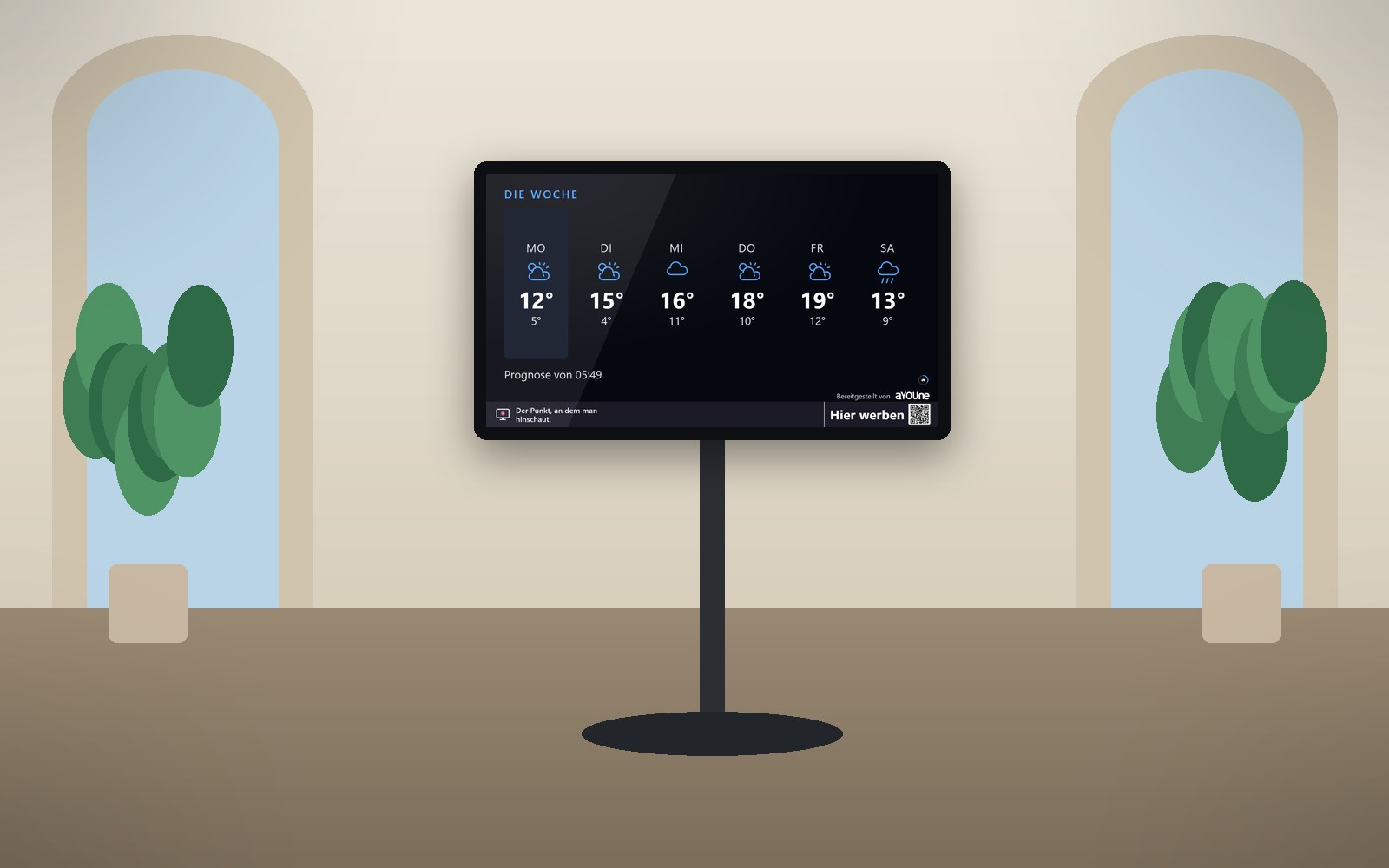
A municipality has a lot to say, and something new every day
In the citizens' office, people hold a ticket and wait for their new ID card. At the town hall, the invitation to the planning committee hangs next to the poster for the holiday programme. At the tourist info, visitors ask about the weather for their hike, the Saturday market and whether the indoor pool is open today. All of it changes constantly, and much of it is written down somewhere, just rarely where people happen to be looking.
Swapping printed notices takes time the town hall rarely has. By the time a new date is pinned up, the old one has often passed. With a storm warning or rising water levels, though, every hour counts, and visitors in particular don't know the channels locals use to stay informed. Then there are the recycling centre, the library and the pool, each with hours that shift every season.
schaupunkt brings all of this together on one screen. It fetches the weather, warnings from the German Weather Service, water levels, the week's events and regional news on its own. You add office hours, council meetings and notices from the administration in the app. In the citizens' office it shows the number being called with an estimated wait. If you like, the same content also runs in the windows of businesses in the town centre, right where visitors are out and about.
What it looks like at your place

In the citizens' office waiting area
A resident waits for his passport appointment. On the screen he watches his number come closer, with the invitation to the fibre broadband info evening in between.

At the tourist info
A group of hikers plans the day. The screen shows the week's weather outlook and the weekend's events, with a QR code to read more on the phone.

In the town centre in the evening
At dusk, visitors stroll across the market square. In a shop window, a bright screen shows Saturday's concert and the river level, right next to the shop's own offer.
Live demo
This is how this sector’s screen is running right now. Pages change on their own.
Live: real data, not a recording.
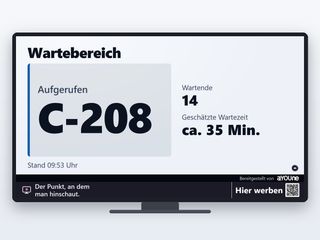
Called at the citizens' officeThe number being called, how many people are ahead and the estimated wait. People who can see it wait more calmly and run another errand in town meanwhile. 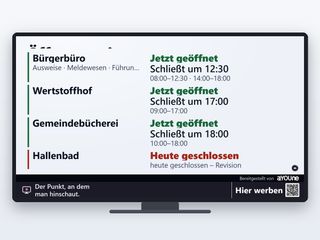
Opening hours of public facilitiesCitizens' office with services such as ID cards and registration, recycling centre, library and pool with their own hours. If a facility is closed today, the reason is shown right there. 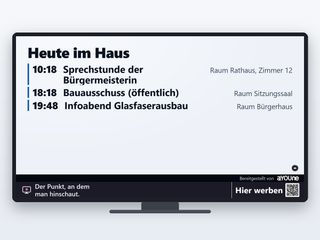
Today at the town hallThe mayor's office hours, a public committee meeting, an info evening at the community hall: the day's appointments with time and room. 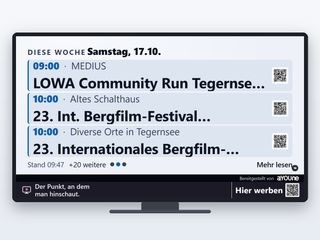
This week's eventsMarket, concert, club fête, guided tour: what's on in town and the region over the coming days, with a QR code to read more on the phone. 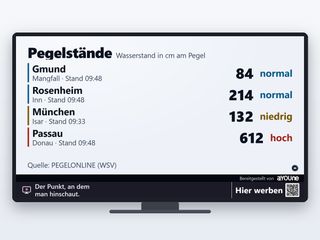
River and lake levelsThe current level of the nearby river or lake, with its timestamp. Useful for residents on the riverside road and for visitors planning a boat trip alike.

Watch it on your own TV
Scan with your phone, or type the address into the browser of your TV.
schaupunkt.de/screen/schaupunkt-demo-kommuneThe pages running in your window
Real captures from this sector’s live demo.

Called at the citizens' office
The number being called, how many people are ahead and the estimated wait. People who can see it wait more calmly and run another errand in town meanwhile.

Opening hours of public facilities
Citizens' office with services such as ID cards and registration, recycling centre, library and pool with their own hours. If a facility is closed today, the reason is shown right there.

Today at the town hall
The mayor's office hours, a public committee meeting, an info evening at the community hall: the day's appointments with time and room.

This week's events
Market, concert, club fête, guided tour: what's on in town and the region over the coming days, with a QR code to read more on the phone.

River and lake levels
The current level of the nearby river or lake, with its timestamp. Useful for residents on the riverside road and for visitors planning a boat trip alike.
Official warnings
Severe weather, gales, heavy rain, and in summer the forest-fire risk: warnings from the German Weather Service for the district as soon as they apply. The screen adds to the official warning channels right where people are.
A day at the town hall and around town
- 8:00 am: The citizens' office opens. The screen shows the first numbers, the mayor's office hours and a note that the pool is closed today for maintenance.
- 10:30 am: At the tourist info a family plans its day. The weekly weather outlook and the afternoon children's programme are on the screen, and the QR code carries the details along.
- 1:00 pm: The German Weather Service warns of heavy rain. The warning appears at once in the town hall, the tourist info and the shop windows in the centre, with the river level right beside it.
- 4:00 pm: The administration adds the fibre broadband info evening in the app. It runs on every municipal screen from that moment on.
- 7:30 pm: Visitors stroll across the market square. Shop windows brightly show Saturday's concert and the businesses' offers, and a child plays a round by phone in between.
Municipality and businesses, visible together
The municipality decides whether and which ads run on its screens. A natural choice is messages from local businesses: the inns, the holiday-flat landlords, the leisure operators, the shops in the centre. It strengthens the town and helps visitors find their way. You approve every ad yourself and exclude whatever doesn't suit a public building.
In return, your notices run in the windows of participating businesses, and their screens earn money with neighbourhood advertising. The result is a network that reaches the whole town and supports local businesses. How revenue sharing works is explained under Earn with your window, and businesses book their slots under Book advertising. Everything for municipalities at a glance: For municipalities.
Traceable for the administration and the council
Every display is logged with time and screen. You can show at any time when and where a municipal notice ran, and advertisers see the same for their ads. Since 12 September 2026 more than 80,000 displays have been recorded this way.
If you want to know how many people walk through the town centre, add footfall counting for €15 a month. A small sensor inside on the screen counts people, bicycles, cars and buses with direction and time. It recognises nobody and stores no images, and only hourly figures reach the platform. Visitor flows across the week become visible, and businesses get media data for each location. Details on the Sensors page.
Frequently asked questions
It adds to the official warning channels. Warnings come directly from the German Weather Service and appear with the time of their data right where residents and visitors are.
That's set by the state and the municipality. You decide per location whether and which ads run, and can switch advertising off entirely for individual buildings.
The screen shows numbers only. Residents' names and personal details stay off a screen that others can see.
You add them in the app, with time and room. Dates you already maintain on the platform can go onto the screen without entering them twice.
Events and news come from regional sources, weather and warnings from the German Weather Service and openly available weather services. Every page names its source and its timestamp.
Yes. The screens then sit in the businesses' windows and show municipal events and notices alongside their own offers. That way you reach visitors wherever they already are.
A screen may neither dazzle nor distract. Road traffic law and your local by-law set the rules, and state rules apply to illuminated advertising. We check every location with you and set the schedule to match.
The screen programme for an existing screen costs from €12 a month, or from €47 a month complete with device. Footfall counting adds €15 a month. All prices net, plus statutory VAT.
No. Every page works without sound, in large type and high contrast. The citizens' office stays quiet.
The player restarts on its own, and updates arrive over the network. As a rule your maintenance crew doesn't need to go out.
Related
- For municipalities and tourismWhat's on in town, visible in every window.
- Neighbourhood contentWeather, warnings, events and news, always up to date.
- SensorsCount visitor flows in the town centre anonymously.
- Legal notesWhat we look out for at setup, from by-laws to data protection.
- HotelsScreens for lobby and reception, with a programme for guests.
- Lakes and mountainsScreens for leisure businesses by the lake and in the mountains.
Would your town hall or tourist info like to join?
Tell us what you want to show residents and visitors, and send a photo of the location. We will get back to you in person.
Register a location